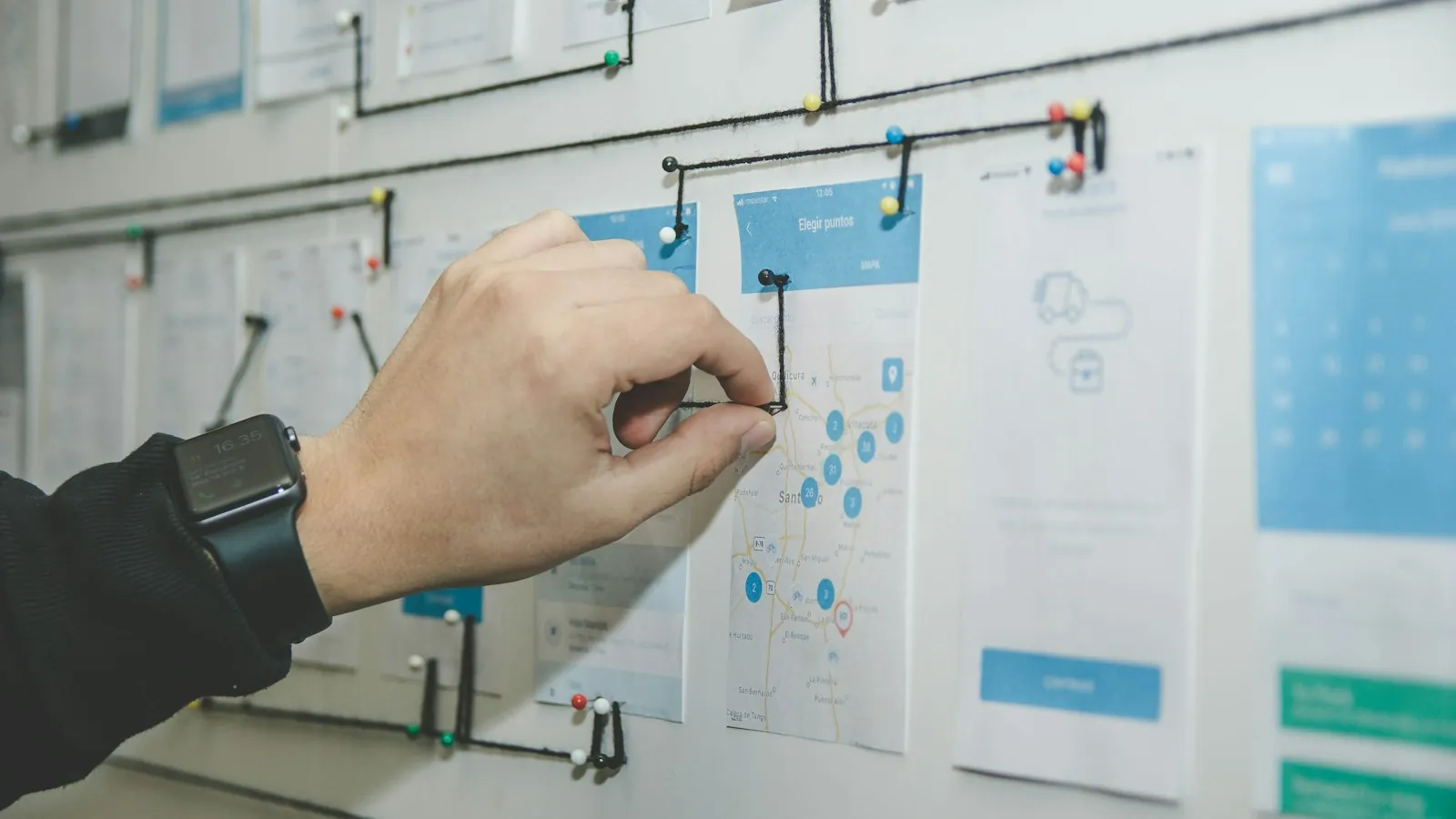
Hand drawing a user flow diagram on a whiteboard
Home / UX/UI & Product Design / User flows
UX/UI & Product Design · User flows

User flows that account for real life, not just the happy path

I map the steps people take to get work done - including errors, exceptions, waiting and handoffs between roles - so the screens that follow are designed for how tasks actually happen.

Task flowsEdge casesMulti-role journeysStatus models

Why flows come before screens

A screen is a moment; a flow is the task. Users do not experience your product as a collection of pages - they experience a sequence: find something, check it, change it, submit it, wait, get a result, fix a problem, come back later. When products frustrate people, the cause is usually in that sequence: a step that asks for information the system already has, a dead end after an error, an unclear wait, a handoff to someone else that nobody tracks.

User flow design maps those sequences explicitly before screens are designed. It is the cheapest place to find missing steps, redundant steps and the edge cases that otherwise surface in QA - or in support tickets.

Is this you?

Signs you need flow work

01

High drop-off mid-task

Users start forms or processes and abandon them partway.

02

"Where is my request?" tickets

People can't tell what state things are in or what happens next.

03

Repeated data entry

The same information is typed in more than once across steps.

04

Error dead ends

After a failure, users have to start again or call support.

05

Handoffs get lost

Work passes between roles (requester, reviewer, approver) without visibility.

06

Features designed screen by screen

Nobody has drawn the whole journey.

What a good flow includes

A useful flow covers much more than the ideal path:

ElementWhat it captures
Entry pointsEvery way a user arrives at the task - navigation, email link, notification, search
Happy pathThe shortest successful route
Decision pointsWhere the user or system chooses between branches
System stepsValidation, automated checks, integrations and their timings
Error and recovery pathsWhat can go wrong at each step and how the user gets back on track
Waiting statesWhere the task pauses, for how long and what the user sees meanwhile
HandoffsWhere work passes to another role, and how both sides know
Exit pointsSaving and returning, cancelling, and what's preserved

Status: the part of flows most products get wrong

Any flow that pauses or involves more than one person needs a status model - a defined set of states, what each one means, the next step and who owns it. Without one, status becomes a collection of labels added feature by feature, and users stop trusting them.

On a healthcare credentialing platform, status clarity was central: states such as "Active" and "Verified" were defined once and communicated the same way across the product and beyond. The approach is covered in UX design for credentialing workflows. The same model applies to approvals, orders, applications, onboarding and support requests.

StateMust answer
Every non-final stateWhat is happening now? What happens next? Who needs to act? By when?
Every error stateWhat went wrong? What can the user do? Is anything lost?
Every final stateIs this complete? What changed? Where can I see the record?

Multi-role and multi-persona flows

Many B2B and healthcare tasks involve more than one person - a provider and a coordinator, a requester and an approver, a buyer and a sales engineer. Mapping each role's steps side by side (a swimlane view) exposes where work waits and where information is lost between them.

Different users also need different routes through the same task. On a B2B hospitality platform, three buyer types needed three different flows: a fast path for a decisive buyer, a guided path for a newcomer and a detail-first path for someone comparing specifications. See persona-led UX for B2B buyers.
The process

How I design flows

  1. 01

    Pick the critical tasks

    The tasks that matter most to users and the business, and those generating the most support or drop-off.

  2. 02

    Map the current flow

    From analytics, support data, walkthroughs and conversations with users and staff.

  3. 03

    Find the breaks

    Redundant steps, missing feedback, dead ends, unclear waits and lost handoffs.

  4. 04

    Design the future flow

    Including errors, waiting states, status model and handoffs.

  5. 05

    Validate

    Walk through with users and engineers; test with a clickable prototype where stakes are high.

  6. 06

    Hand over

    Flow diagrams, status model and acceptance criteria that feed wireframes and tickets.

Measuring whether a flow improved

Choose measures before redesigning, so success isn't judged on looks:

  • Task completion rate and time for each critical task.
  • Drop-off at each step (from analytics where available).
  • Number of steps and fields, and fields entered more than once.
  • Support contacts about the task or its status.
  • Error rates and how often users recover without help.

What you get

01

Current-state flows

How tasks work today, with the breaks highlighted.

02

Future-state flows

The redesigned journeys, including errors and waits.

03

Swimlane diagrams

Multi-role tasks showing handoffs and ownership.

04

Status model

States, meanings, next steps and owners.

05

Edge-case catalogue

Exceptions and how each is handled.

06

Acceptance criteria

Flow requirements ready for engineering tickets.

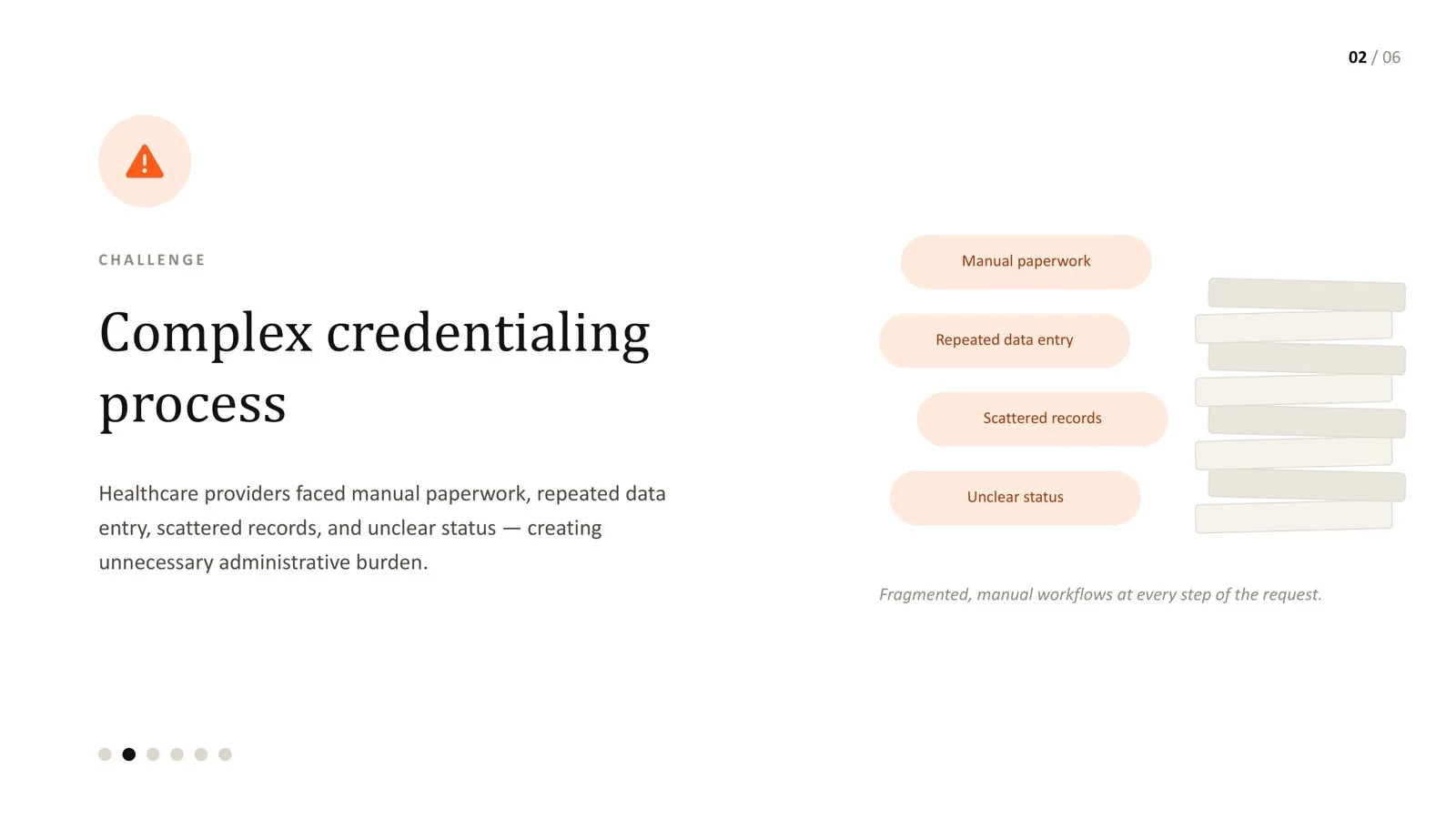
Manual credentialing workflow before the redesign
From the work

From paperwork to proof: a credentialing journey rebuilt

Healthcare providers faced manual paperwork, repeated data entry, scattered records and unclear status with every credential request.

  • The journey was mapped end to end rather than one form at a time.
  • A single source of truth replaced repeated entry.
  • Status was designed as a first-class pattern, with clear next steps.
Read the healthcare case study →

Frequently asked questions

What's the difference between a user flow and a journey map?

A journey map usually covers the whole relationship at a high level, including emotions and channels. A user flow is more detailed and specific: the steps, decisions, system actions and states within one task.

Which tools do you use for flows?

Usually FigJam or Figma for diagrams, linked to wireframes and prototypes, so flows and screens stay connected.

Do engineers need to be involved in flow design?

Yes. System steps, data dependencies and integration timings shape flows; involving engineering early avoids designs that can't be built as drawn.

How many flows should we map?

Start with the few critical tasks that matter most or cause the most trouble. Mapping everything at once rarely pays off.

Can flows improve conversion?

Often. Removing redundant steps, clarifying waits and fixing error paths directly affects completion rates for sign-ups, applications and purchases.

Let's solve something

Users getting stuck halfway through tasks?

Let's map where the flow breaks before redesigning screens. Book a 30-minute call.

Book a 30-min call ↗